

Inviting candidates to an interview
You can invite candidates to an interview straight from Talvin, instead of copying the link and emailing everyone yourself. Each candidate gets an email with the interview link, Talvin reminds anyone who hasn’t taken it yet, and you can see at a glance who has.
Before you start
Section titled “Before you start”- The interview needs to be Active. If it’s switched off, the Invite Candidates button is greyed out.
- If your plan has ended, you’ll be asked to upgrade before you can send invites.
Invite candidates one by one
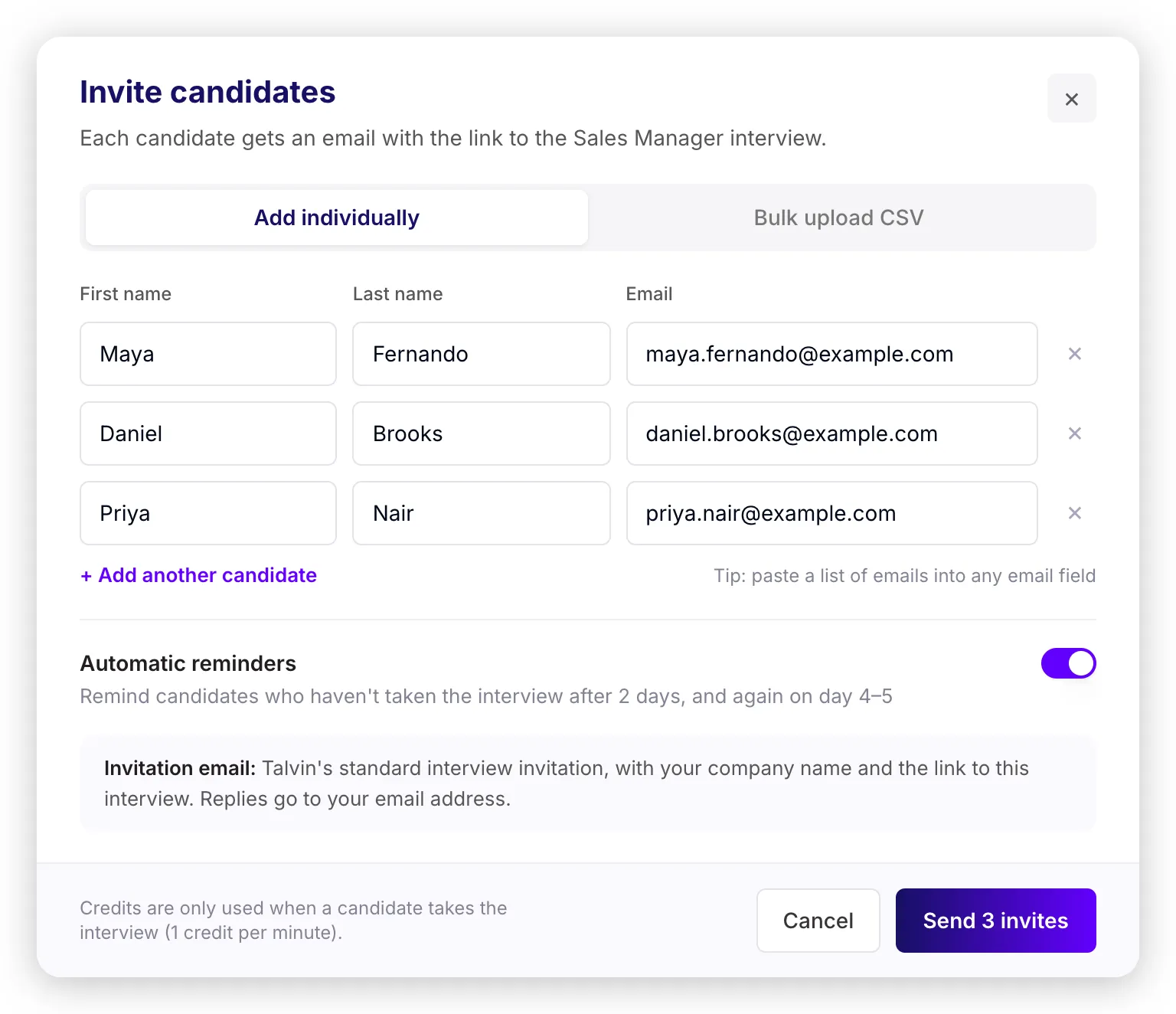
Section titled “Invite candidates one by one”- Open the interview and click Invite Candidates in the top right corner.
- Make sure Add individually is selected.
- Enter each candidate’s first name, last name and email. First name and email are required. Click + Add another candidate to add more people.
- Already have a list of emails? Paste it into any email field and Talvin splits it into one row per email. You’ll just need to add their first names.
- Click Send invites.
Invite candidates from a CSV file
Section titled “Invite candidates from a CSV file”-
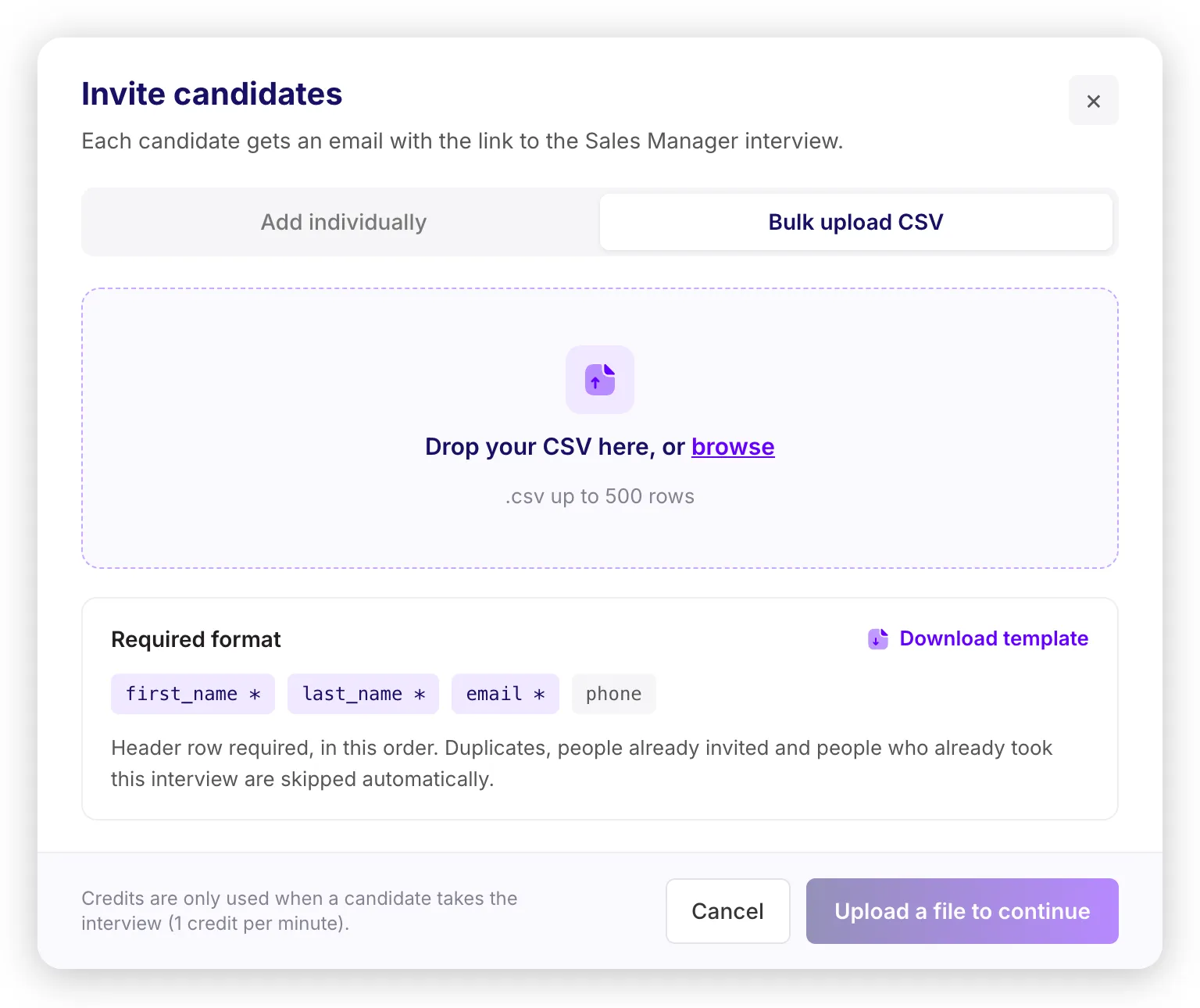
Click Invite Candidates and choose Bulk upload CSV.
-
Click Download template. Your file needs a header row with these columns, in this order:
first_name,last_name,email,phone. Phone is optional. The other three are required. -
Drag your file into the window, or click browse. You can upload up to 500 candidates per file.
-
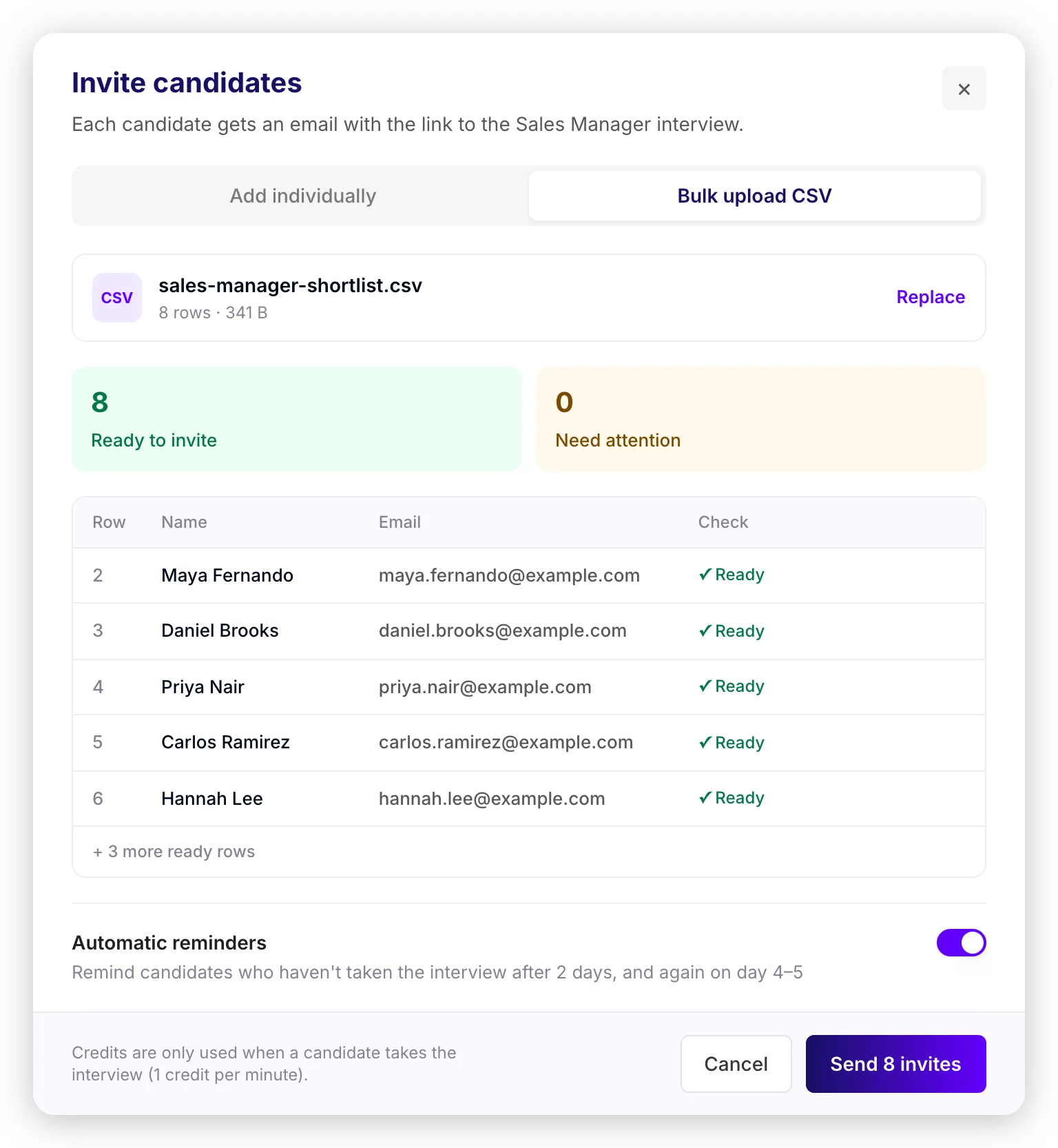
Talvin checks every row before anything is sent. Rows marked Ready will be invited. Rows under Need attention are skipped, with the reason shown next to each one:
- Missing required field
- Invalid email
- Duplicate of another row in the file
- Already invited to this interview
- Already took this interview
-
Click Send invites. Only the ready rows are sent. To include a skipped row, fix it in your file and upload it again. People you’ve already invited are skipped automatically, so nobody gets a second invite.
Automatic reminders
Section titled “Automatic reminders”Reminders are switched on by default. If a candidate hasn’t taken the interview 2 days after their invite, Talvin sends a reminder, and one more on day 4 or 5. Reminders stop as soon as they take the interview, or if you switch the interview off.
If you’d rather not send reminders for a batch, switch Automatic reminders off before you click send.
What candidates receive
Section titled “What candidates receive”Each candidate gets Talvin’s standard interview invitation, with your company name and the link to the interview. It’s the same link you’d copy and share yourself.
If a candidate replies to the email, the reply goes to the email address of the person who sent the invite. Big lists take a minute or two to send, and you’ll see the progress in the window.
Track who has taken the interview
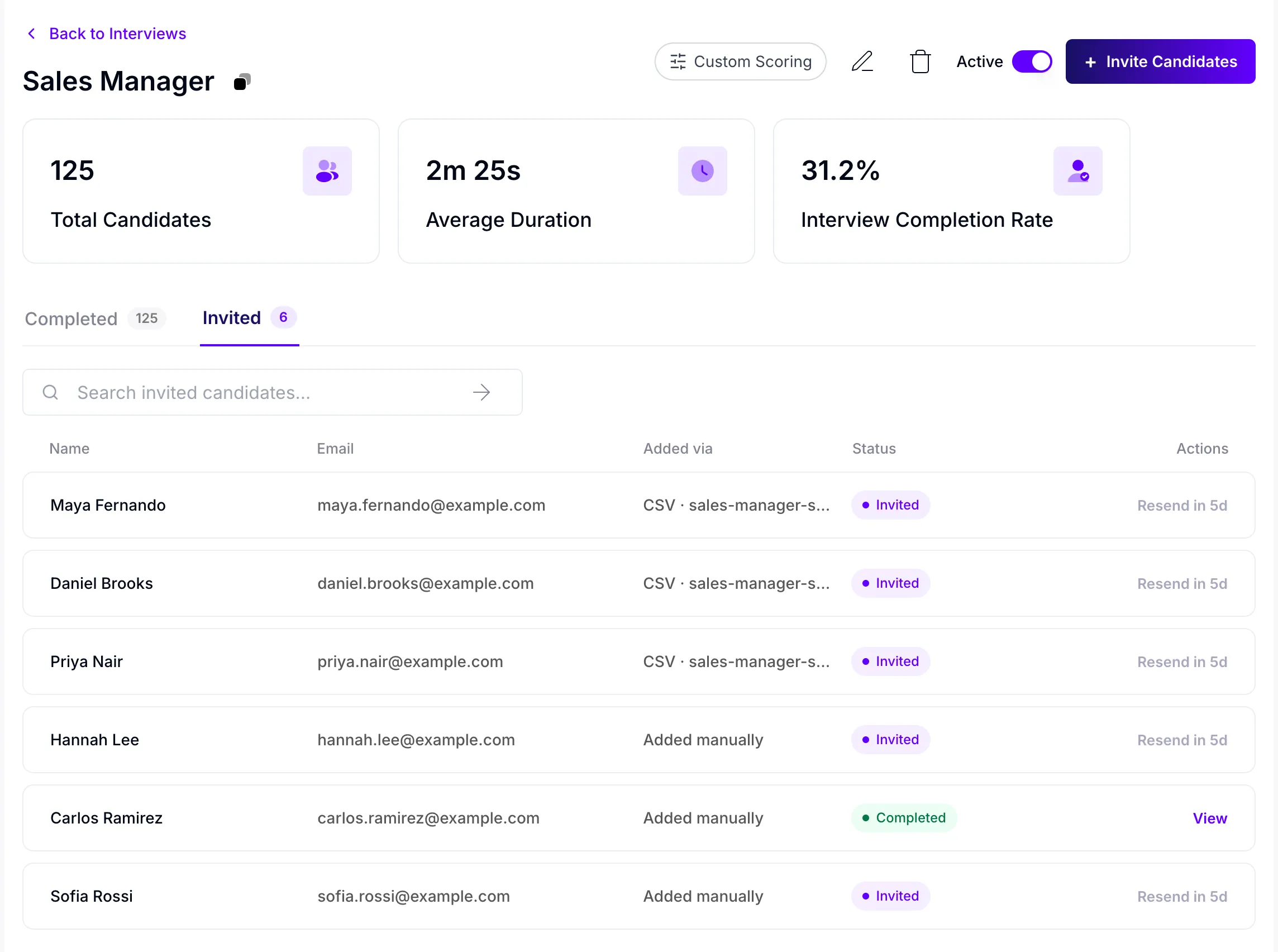
Section titled “Track who has taken the interview”The interview page has two tabs:
- Completed: everyone who has taken the interview.
- Invited: everyone you’ve invited, how they were added (by hand or from which CSV file), and whether they’ve taken the interview yet.
From the Invited tab you can:
- Search by name or email.
- Click View next to a completed candidate to open their interview results.
- Resend the invite to someone who hasn’t taken the interview yet. You can resend 5 days after the last email. Until then, the button shows how many days are left.
- Click Retry if an invite email failed to send.
Good to know
Section titled “Good to know”- Credits: sending invites is free. Credits are only used when a candidate takes the interview (1 credit per minute).
- Use the invited email address: Talvin matches candidates to invites by email. If someone takes the interview with a different email address, their results still show under Completed, but their invite stays as Invited and they’ll keep getting reminders.
- One invite per person: each email address can only be invited once per interview.